

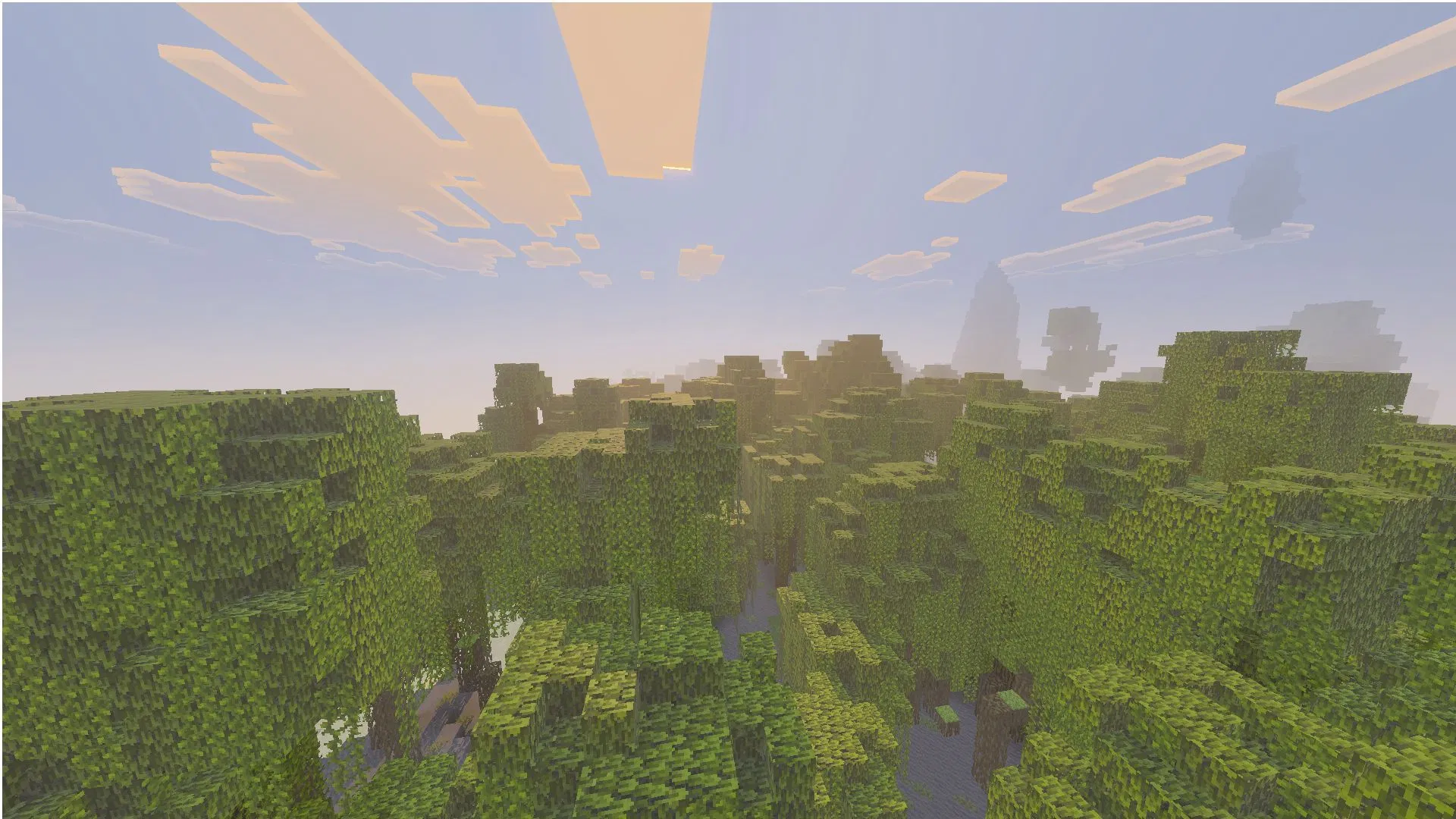
Mojang has just released the latest Minecraft Bedrock 26.10.24 beta and preview on February 17, 2026. This latest experimental build introduces new content and features for the first drop. Additionally, it addresses existing bugs and performance issues, improving the overall gameplay experience for players.
Here’s how you can get your hands on the Minecraft Bedrock 26.10.24 beta and preview.
Note: The Minecraft Bedrock 26.10.24 beta and preview build is accessible only on Xbox One and Series X/S, PlayStation 4 and 5, Android/iOS devices, and Windows 10/11 PCs. It is not supported on trial versions or inactive Game Pass subscriptions.
The update might be delayed on some platforms. If it is not available, check back in a few hours.
Guide to download the Minecraft Bedrock 26.10.24 beta and preview for all supported platforms
Xbox One and Series X/S consoles

You can download and install the Minecraft Bedrock 26.10.24 beta and preview on your console with a stable internet connection. Aside from having the Bedrock edition, you can also play this build if you have an active Xbox Game Pass subscription (regular or Ultimate edition) on your console/account.
Here’s how you can get the latest Minecraft Bedrock 26.10.24 beta and preview for your Xbox console:
- Go to the Xbox Game Store or your Game Pass Library on your console.
- Navigate to the game library and head over to the search bar. Now, look for “Minecraft Preview.”
- Once the preview edition is listed, choose it and click on the “Install” button next to it.
- Next, wait for the required game files and assets to get downloaded and installed. It is recommended to keep your console turned on with a stable internet connection to prevent the files from becoming corrupted.
Also read: Best ways to get and use quartz in Minecraft
PlayStation 4 and 5
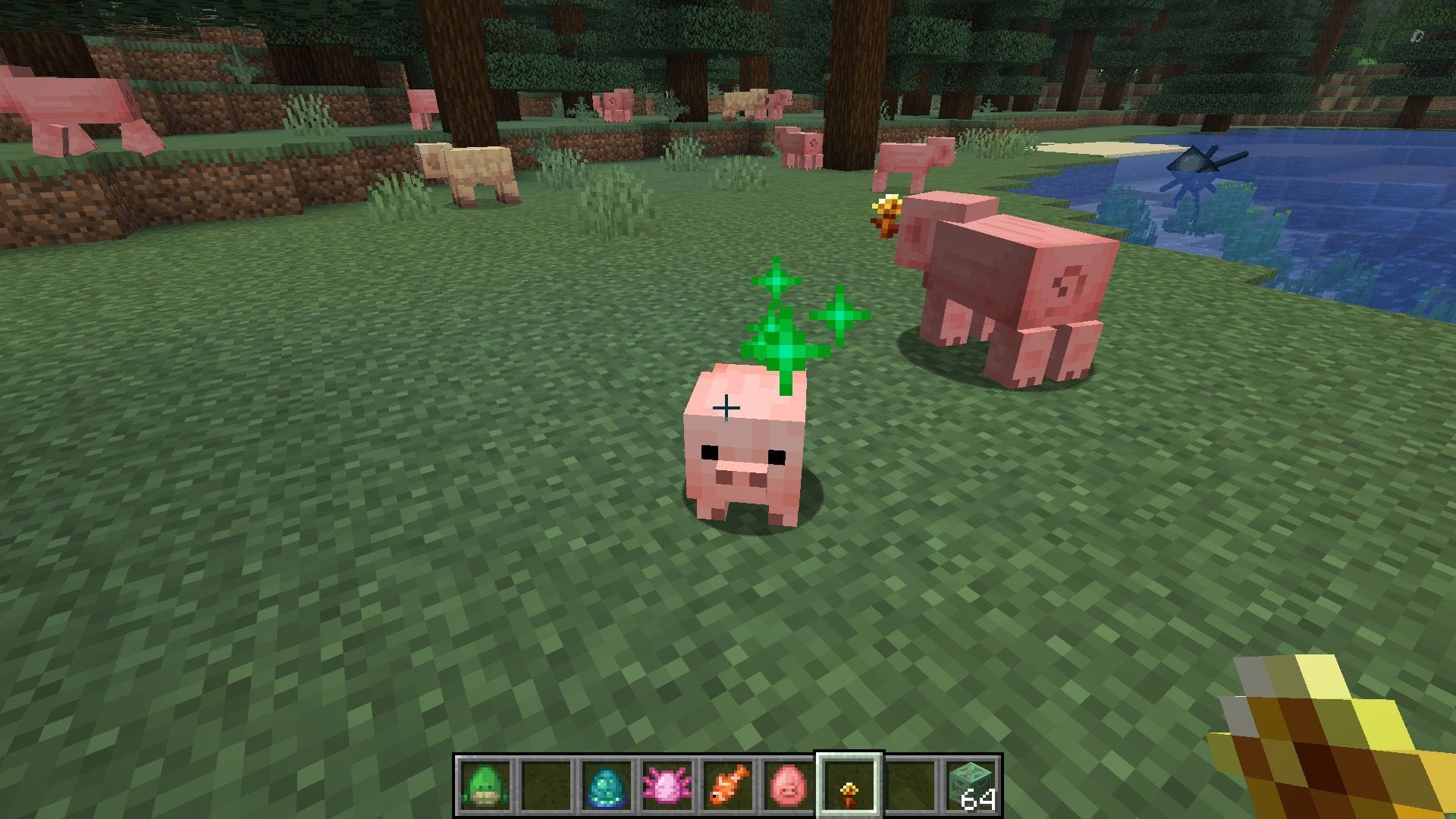
You can get your hands on the latest Minecraft Bedrock 26.10.24 beta and preview on your PlayStation 4/5 console and check out the list of new baby mob textures by following these steps:
- Locate Minecraft from the homepage, the “Frequently Played” tab, or the game library on your PlayStation 4/5 console.
- Head over to the left sidebar and scroll down till you find the “Preview” button.
- Now, click the “Get PlayStation 4/5 Preview” button (depending on the console).
- Once done, click on the “Download” button and wait for the required preview files and assets to get installed on your console.
During installation of the experimental build, it is recommended to ensure the console has a stable internet connection and is not turned off to prevent file corruption. Once installed, gamers can dive into the Minecraft Bedrock 26.10.24 beta and preview.
Android/iOS devices
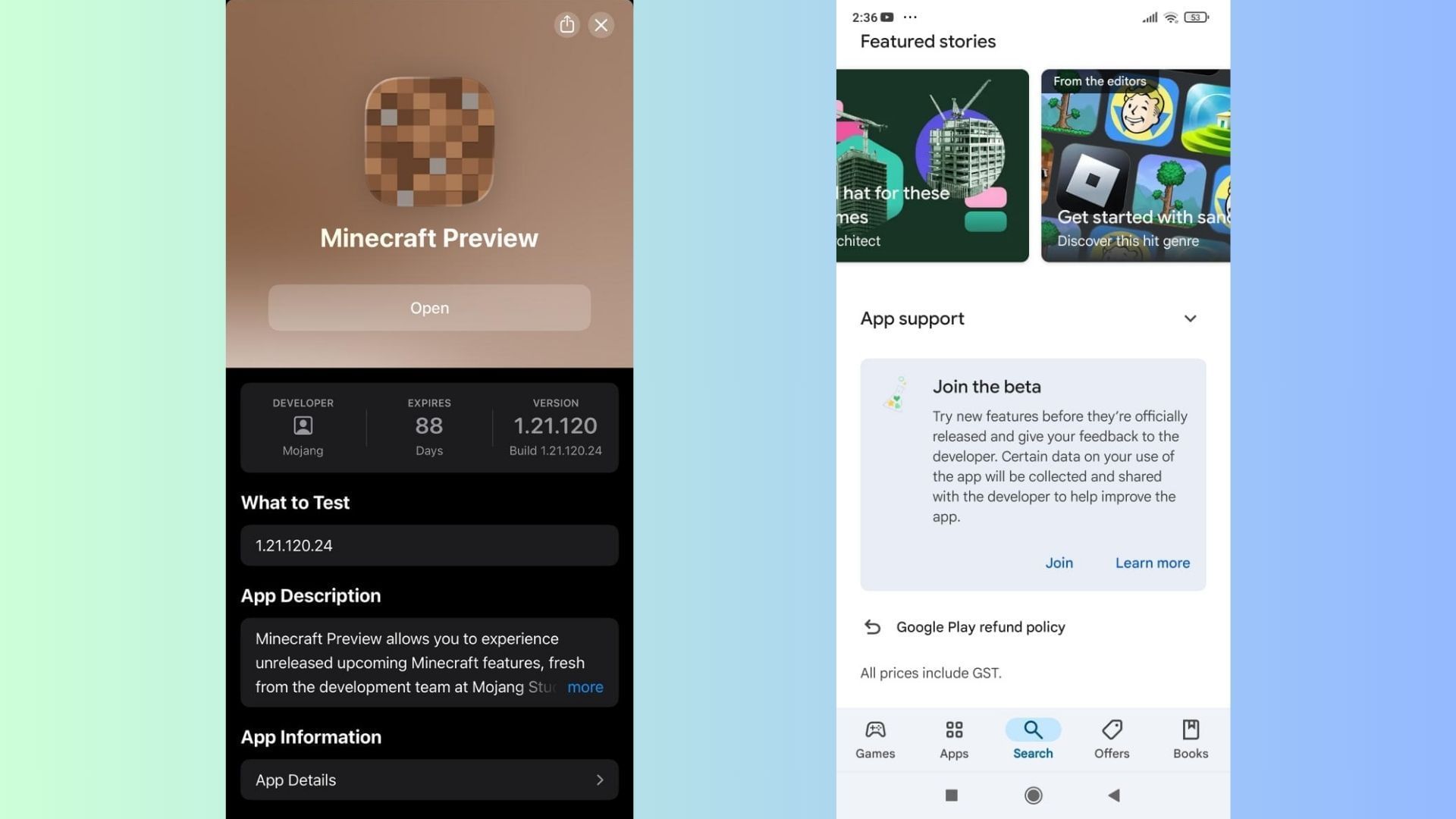
Pocket Edition players can easily download and install the Minecraft Bedrock 26.10.24 beta and preview on their supported Android and iOS devices through the respective applications, just like console players. This lets the mobile users try out the latest experimental features ahead of their launch alongside other platforms.
Here’s how you can get your hands on the Minecraft Bedrock 26.10.24 beta and preview on your supported Android or iOS mobile devices:
Android
- Launch the Google Play Store application on your preferred Android device.
- Navigate to the Minecraft page, or search for the game in the application’s search bar.
- Once found, scroll down to the bottom of the Play Store listing and click on the “Join the Beta” prompt/bubble.
- Next, wait for the necessary beta build files to download and install on your Android device.
- Once done, this will replace the existing release version with the Minecraft Bedrock 26.10.24 beta and preview.
iOS
- Download and install the TestFlight app from the Apple App Store and open the Minecraft preview’s listing link. Before signing up, it is recommended to ensure there are free slots available for the Preview. If none are available, you will have to come back and sign up on the first of next month.
- Sign up for the beta and preview using your registered Microsoft account. Next, wait till you receive an email on your linked ID with links to access the latest preview build.
- Once received, head over to the email and select the “View in TestFlight” button. You can also click the attached link to open it in the TestFlight app.
- Next, choose “Install” (for new beta users) or “Update” (for existing users) to get the Minecraft Bedrock 26.10.24 beta and preview on your compatible iOS device.
- If you have an existing Preview build on iOS, open the TestFlight app and tap the update button next to the title. Once updated, you can now try the new features and changes in Minecraft Bedrock 26.10.24 beta and preview with ease.
Additionally, iOS players are recommended to run the preview build at least once or twice a month to retain access. Since spots are very limited, access for these experimental builds is revoked after an extended period of inactivity. Logging in periodically ensures continued access to the future builds without needing to re-register.
Another essential point worth mentioning is that most Android and iOS devices have automatic updates enabled to ensure applications and games are always on the latest versions. However, if this is not turned on or you wish to queue the update manually, you can do so by heading to the individual app store (Android/iOS).
You will notice that the regular “Open/Play” button has been replaced by “Update”. Select it and wait for the required files to be downloaded. Once done, you can enjoy the Minecraft Bedrock 26.10.24 beta and preview with ease.
Also read: Popular streamer Dream faces backlash from old video of alleged cheating in Minecraft Championship
Windows 10/11 PCs
You can check out the new baby pandas and striders in the Minecraft Bedrock 26.10.24 beta and preview on PCs if you have a copy of the Bedrock Edition installed on your device. However, if you do not have it, you can get your hands on it from the Mojang website or the Xbox/Microsoft Store.
Once obtained, install the Minecraft launcher in your preferred file directory on your PC. Now, log in with the bound Microsoft account used to purchase the title. This ensures that the title loads with the correct credentials that are tied to your game’s purchase.
After the launcher is set up and you are logged in, follow these steps to try out the latest features and changes in the Minecraft Bedrock 26.10.24 beta and preview on your PC:
For players with an existing Preview:
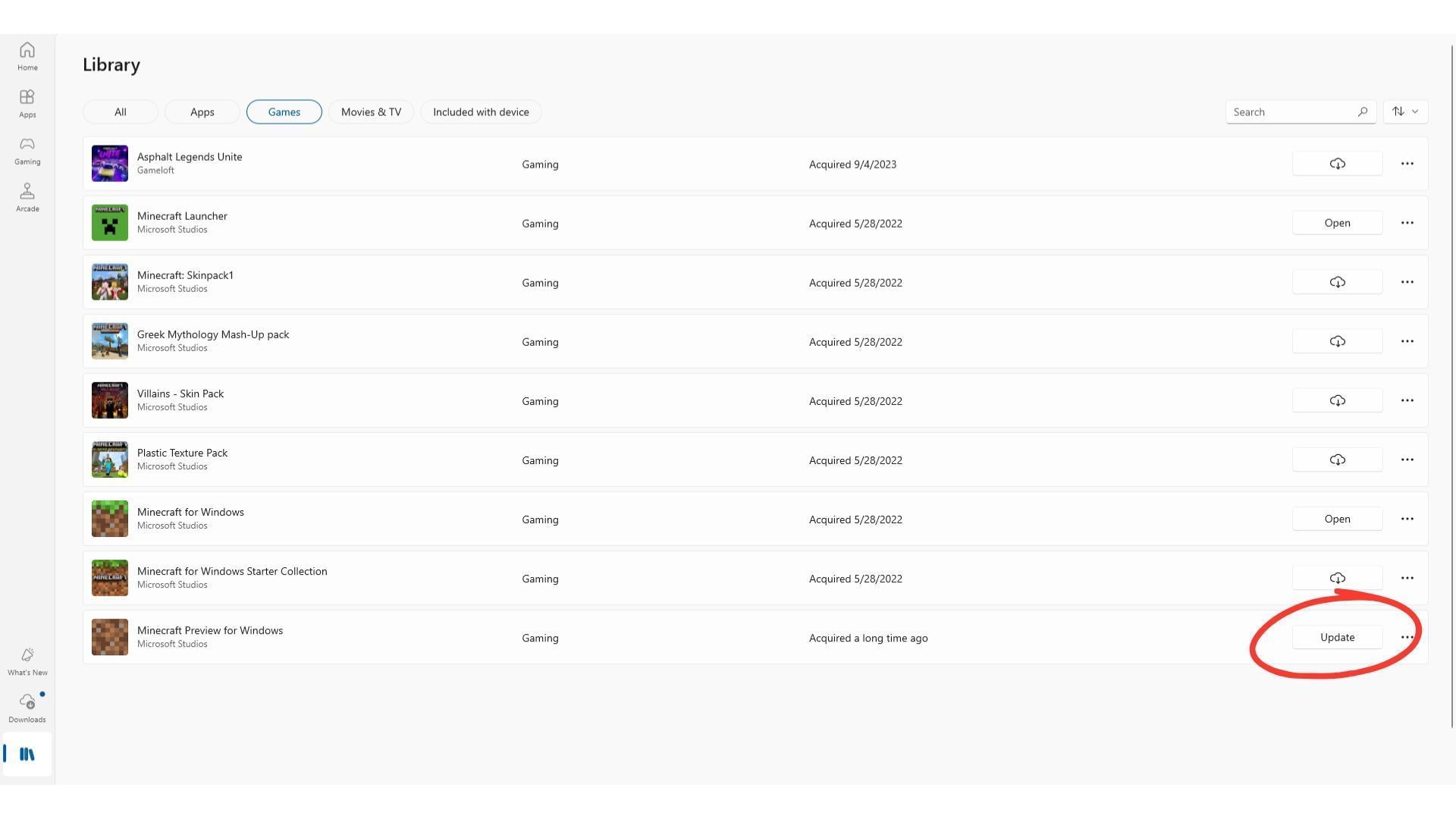
If you already have an existing preview version, like the Minecraft Bedrock 26.10.23 beta and preview, you will have to manually queue the update from the Microsoft Store application on your PC.
Open the Microsoft Store application on your desired Windows PC and manually queue the update for the Minecraft Bedrock 26.10.24 beta and preview with the following steps:
- Open the Microsoft Store application and go to the ‘Games’ tab from the left sidebar. Now, click on it.
- Scroll down or search for “Minecraft Preview” in the list of installed games on your PC.
- Now, click on the “Update” button next to the Preview listing and wait for the required files to be installed. You can check the blue ring beside it for a progress update and estimate.
- If you do not see a “Update” button next to the game’s Preview listing, click on the “Check for Updates” button in the top-right corner of the window. This will initiate a force check for all available updates and put them in the download queue.
Apart from using the Microsoft Store, you can also queue the update for the latest Minecraft Bedrock 26.10.24 beta and preview using the installed Xbox application.
Here’s how you can download and install the latest Minecraft 26.10.24 beta and preview using the Xbox application on your PC:
- Open the Xbox application and make your way to the left sidebar.
- Next, find the list of installed games on the left sidebar and find Minecraft.
- Once located, select the Preview edition from the list and tap ‘Manage’ from the settings menu.
- Next, select the “Update” button at the top to download and install the Minecraft Bedrock 26.10.24 beta and preview.
Once done, you will now be able to check out all the changes and new features introduced in the Minecraft Bedrock 26.10.24 beta and preview.
For new Preview installations:
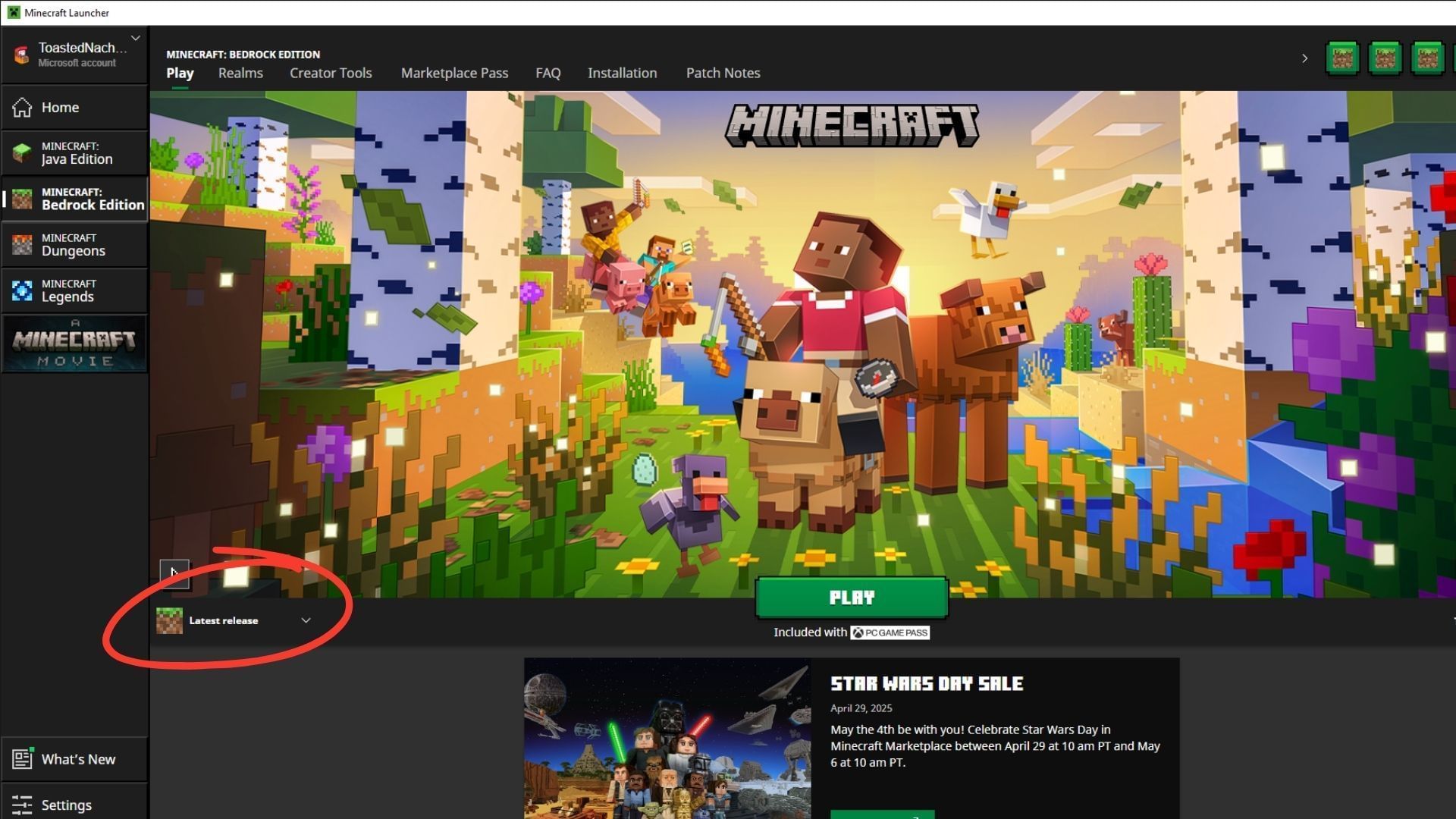
If this is the first installation of a Preview build on your device, you will need to install the official game launcher to get started. Download the launcher and log in with your registered Microsoft account. Now, choose Bedrock from the list of versions on the sidebar on the left.
Once done, follow these steps to install the Minecraft Bedrock 26.10.24 beta and preview successfully:
- Navigate to the lower part of the launcher and expand the drop-down menu on the left marked “Latest Release.” It is located next to the green “Play” button in the middle.
- Now, click on this drop-down to expand and open the list of available installation options.
- Next, select the “Latest Preview” option below ‘Latest Release’.
- Finally, tap the “Play” button to download and install the latest Minecraft Bedrock 26.10.24 beta and preview.
Since this will be the first preview build on your PC, it might take some time for all the required assets and files to get ready for use. Once done, you will get your hands on all the new content in the Minecraft Bedrock 26.10.24 beta and preview ahead of its official release in the upcoming game drop.
Also read: How to download Minecraft 1.21.11 Iris Shaders
Check out our other Minecraft articles:
Edited by Sayendra Basu



